Back
Drafting Collaboration Platforms: The Promise vs The Reality
Why structured collaboration is essential - and why most tools aren’t quite there yet.
6 minutes • 14 Jan 26
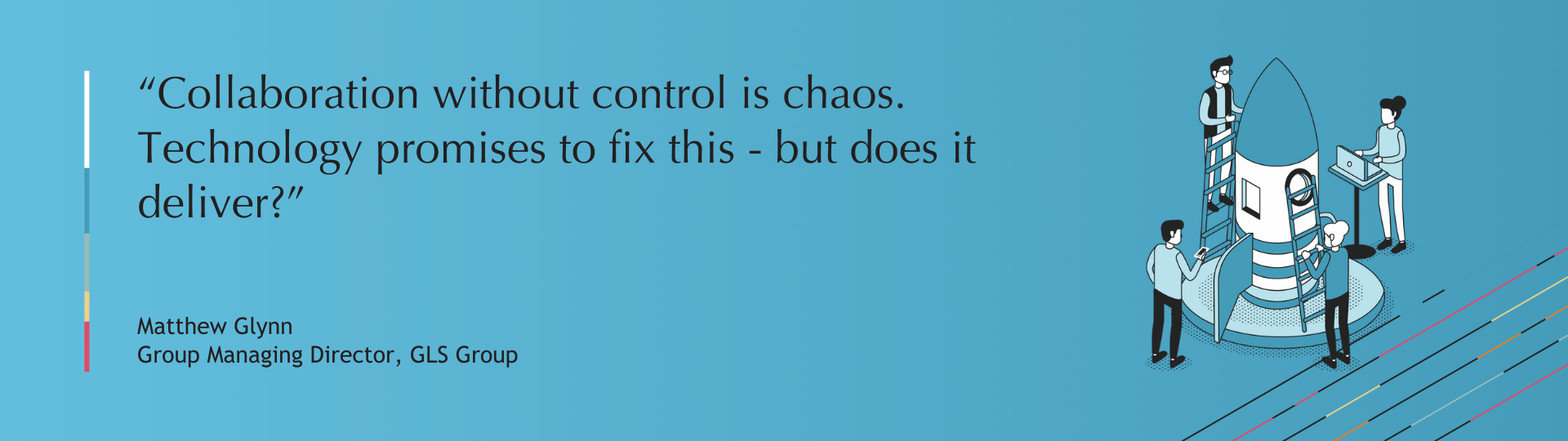
"Collaboration without control is chaos. Technology promises to fix this - but does it deliver? And, have you missed the answer that is straring you in the face?"
Introduction: The Allure of Collaboration Tech
Drafting Collaboration Platforms (DCPs) are marketed as the cure for one of legal’s biggest headaches: chaotic contract drafting. They promise real-time co-authoring, version control, audit trails, and structured workflows that eliminate email ping-pong and prevent version confusion. For legal teams under pressure to deliver speed and consistency, the pitch is compelling.
But here’s the reality: most legal specific DCP solutions are not quite there yet. They offer fragments of functionality, often bolted onto broader platforms, but rarely deliver the seamless, intuitive experience lawyers expect. The result? Adoption struggles, workarounds, and disappointment.
This companion piece explores the gap between promise and reality - and offers practical guidance on how to approach DCP technology without falling into the hype trap.
Fortunately, most of us already have what we need - a basic and reliable platform that gives us version control and enough functionality to collaborate well enough.
The Promise: What DCPs Claim to Deliver
Vendors position DCPs as game-changers. The core promises include:
◼️Real-Time Collaboration: Multiple stakeholders editing and commenting simultaneously.
◼️Version Control: Automatic tracking of changes with rollback capability.
◼️Auditability: Comprehensive logs for compliance and governance.
◼️Integration: Connectivity with CLMS, e-signature, and document systems.
◼️Security: Role-based access and encryption to protect sensitive data.
On paper, this sounds like nirvana for legal teams. No more conflicting drafts. No more lost edits. No more manual versioning. Just structured, transparent collaboration.
The Reality: Where DCPs Fall Short
Here’s the candid truth: most legal specific platforms don’t fully deliver on these promises. Why?
◼️Fragmented Functionality: Many DCP features are add-ons to CLMS or document management systems, not purpose-built solutions. They feel clunky and unintuitive.
◼️Poor User Experience: Lawyers expect simplicity. Instead, they get complex interfaces that mimic IT tools, not legal workflows.
◼️Limited Integration: APIs exist, but real-world integration with enterprise systems is often painful and expensive.
◼️Version Control Gaps: Some platforms track changes, but rollback and comparison features are inconsistent.
◼️Collaboration Bottlenecks: Real-time editing sounds great - until multiple users overwrite each other’s changes or comments vanish in sync errors.
◼️Adoption Resistance: If the tool feels harder than Word + email, lawyers won’t use it.
PAA:
Why do drafting collaboration platforms fail to meet expectations?
Because most are not purpose-built for legal workflows, lack intuitive design, and struggle with integration.
However, maybe there we dont need a legal specific DCP system just yet? Hold that thought - lets look at whats out there.
Recognisable Examples: What’s Out There?
Here are some platforms that offer legal specific DCP functionality - and their reality check:
◼️HighQ (Thomson Reuters): Purpose-built for legal collaboration, but adoption depends on broader platform buy-in.
◼️Litera Transact: Excellent for transaction checklists and structured collaboration, but less focused on everyday contract drafting.
◼️DocuSign CLM: Includes drafting collaboration, but primarily geared towards lifecycle management, not deep co-authoring.
◼️Reality Check: These tools can help - but none offer a perfect, plug-and-play solution for legal drafting collaboration.
Here is what everyone everywhere (mostly) is already using
And here is some brilliant news - as most of us already have access to it (and no we dont work for Microsoft!) here are two amazing Day 1 DCP solutions:
◼️SharePoint: Strong version control and co-authoring, with 0365 automation apps to sort out most basic legal workflows. And everyone already knows how to use it … perhaps not the automation staff but certainly sharepoint.
◼️Microsoft Teams + SharePoint: Adds collaboration layers on top the Sharepoint Features. What is not to like!
Why This Matters: The Risk of Overpromising
When platforms overpromise and underdeliver, the consequences are real:
◼️Wasted Investment: Licence fees and implementation costs with minimal ROI.
◼️Change Fatigue: Lawyers disengage, making future tech adoption harder.
◼️Process Disruption: Half-baked tools create friction instead of efficiency.
◼️Compliance Gaps: Incomplete version control undermines auditability.
However, when we start looking for the “perfect” solution we all too often miss was is already “good enough” to get us most of the way down the road. Certainly at least to the point where the required behaviours needed to make more complex DCP's work - have been demonstrated.
PAA:
What is the biggest risk of adopting a DCP prematurely?
Ignoring the technology you have that is already likely “good enough”. And thereafter, investing in technology that fails to deliver adoption or compliance benefits.
The GLS View: Use What You Have For Now - Proceed, But With Eyes Wide Open
At GLS, we believe structured drafting collaboration is essential for modern contracting. But we also believe the technology is still maturing. Most solutions today are better described as “collaboration-enabled document management” than true drafting platforms.
Our advice? Work with what you have got. Don't think about DCP systems until you have genuinely exhausted the feature set of Sharepoint / Team and without pursusing a more sophisticated DCP - your legal team would be losing ground.
Put another way - don’t chase hype. Build readiness.
◼️Map your drafting process.
◼️Identify pain points (version chaos, approval delays, compliance gaps).
◼️Pilot tools in controlled environments.
◼️Focus on integration and user experience.
And remember: technology amplifies process. If your drafting workflows are unclear, a DCP will digitise dysfunction, not fix it.
Practical Steps for Success
◼️Start Simple: Use SharePoint or Teams for basic version control before investing in niche tools.
◼️Define Requirements: Prioritise features that solve real pain points (e.g., audit trails, clause libraries).
◼️Engage Stakeholders: Business users, procurement, and compliance must buy in.
◼️Plan Integration: Ensure connectivity with CLMS and document systems.
◼️Train for Adoption: Lawyers won’t use what they don’t understand.
PAA:
How do you prepare for drafting collaboration technology?
By mapping workflows, defining requirements, and piloting tools before full rollout.
The Future: Where DCPs Need to Go
For DCPs to fulfil their promise, they must:
◼️Deliver Legal-Specific UX: Intuitive interfaces tailored to contract workflows.
◼️Embed Intelligence: AI-driven clause suggestions and risk alerts.
◼️Enable Seamless Integration: Plug-and-play connectivity with enterprise systems.
◼️Support Mobile Collaboration: Drafting on the go without losing control.
◼️Offer True Real-Time Editing: Without sync errors or overwrite risks.
Until then, use Sharepoint and Teams.
People Also Ask (PAAs) for SEO Boost
1. What is a drafting collaboration platform?
A system that enables structured collaboration on contract drafts with version control and auditability.
2. Why do legal teams need drafting collaboration tools?
To eliminate version chaos, accelerate turnaround, and enforce compliance.
3. What are examples of drafting collaboration platforms?
SharePoint, HighQ, Litera Transact, DocuSign CLM.
4. Do DCPs integrate with CLMS?
Yes, but integration can be complex and costly.
5. Are DCPs easy to use?
Often not - poor UX is a major adoption barrier.
6. What is the ROI of a DCP?
Depends on adoption; without it, ROI is minimal.
7. Can DCPs replace Word and email?
Not yet - most lawyers still revert to familiar tools.
8. Do DCPs support compliance?
Yes, if version control and audit trails are robust.
9. Are DCPs cloud-based?
Yes, most leading solutions offer secure cloud deployment.
10. Will DCPs become standard in legal ops?
Eventually, as technology matures and UX improves.
Conclusion: The Balanced View
Drafting Collaboration Platforms promise a world without version chaos, manual edits, and compliance gaps. The reality? They’re not quite there yet. Most solutions deliver partial functionality, struggle with integration, and fail to win lawyer adoption.
But the need for structured collaboration is undeniable. Contracts are too critical - and too complex - for email-based drafting to remain the norm. The future belongs to platforms that combine intuitive UX, robust version control, and seamless integration.
Until then, no need to panic. You most likely already have more than what you need with basic systems like Sharepoint and Team.
Ready To Transform Your Legal Team?
Please check out the GLS solutions and know-how resources listed on the right side of this page – they might assist your legal team with the issues explored in this Blog.
© The GLS Group - Law Rewritten
Tips & Observations
◼️ Start with SharePoint & Teams for version control: SharePoint (and Microsoft Teams layered on top) already delivers co-authoring and audit trails; these platforms often outperform specialised drafting tools in practical adoption when legal workflows are defined first.
◼️ Real-time editing is illusionary without workflow discipline: Multiple users editing the same document feels powerful on paper, but without agreed sequence and decision roles it creates overwrite, confusion, and sync errors.
◼️ Version control is necessary, not sufficient: Robust version tracking matters, but if rollback and compare features are inconsistent or clunky, legal teams will default back to Word + email, defeating the tool’s intent.
◼️ Integration reliability matters more than optics: APIs and system links sound attractive, but real-world integration with CLMS and enterprise document repositories is complex and costly - poor integration often kills adoption.
◼️ Poor UX kills adoption faster than missing features: If a platform feels like an IT tool rather than a legal workflow tool, lawyers simply won’t use it - and then version chaos returns.
◼️ Process readiness trumps tool capability: Tools amplify existing workflows - they don’t fix fractured process. Without mapped drafting workflows, a DCP will digitise dysfunction, not resolve it.
◼️ Pilot before enterprise rollout: Controlled, small-scale pilots help validate integration, adoption, and workflow fit before committing to broad implementation - reducing wasted spend and change fatigue.
◼️ Beware overpromising & underdelivering: Most current platforms feel like “collaboration-enabled document management” rather than true drafting collaboration; expect incremental improvement, not instant transformation.

The GLS Legal Operations Centre
Register to access your complimentary Day 1 Resource Stack packed with legal team performance resources.
GLS Ultimate Guide To Legal Operations
Download this and read it thoroughly and regularly. It is a wonderful transformation companion.
Book A No-Obligation Consultation
If you would like discuss your legal transformation needs, please book a 30 minute free consultation with us.
GLS Legal Transformation Boot Camp
Our hugely successful, 10-week long, email-based boot camp on how to effectively transform your legal team.